Technology experience since 1991

ISO 9001 certified

1 year warranty included

Fast UK delivery

Cybist laptop buying guide

Choose a business laptop that works the way you do.

Balance portability, performance, memory, storage, display and connectivity around the real working day.

ISO 9001 certified
Cyber Essentials certified
Experience since 1991
One-year warranty
Fast UK delivery
Real UK support

Start with the working day

How will the laptop be used?

Business laptop used at an office desk

Everyday business

Office, browser systems, email and dependable multitasking.

16GB RAM · 512GB SSD
Portable business laptop prepared for hybrid and mobile working

Hybrid & mobile working

Calls, travel, docking, battery life and a comfortable 13–14-inch format.

Portable · Dockable

Premium business laptop for executive travel

Executive & frequent travel

Premium build, low weight, excellent keyboard and strong connectivity.

Quality without bulk

Professional laptop displaying technical development work

Professional performance

Development, analysis, CAD and creative applications.

32GB+ · Dedicated GPU where needed
The specification should follow the workload.

1Understand the applicationsList the essential software and typical workload.
2Decide where it will be usedOffice, home, travel or on-site changes the requirements.
3Balance processor and memoryMatch performance and headroom to the workload.
4Choose storage and displayCapacity, speed and screen quality affect productivity.
5Check ports, docking and supportEnsure the complete setup works from day one.

The laptop specifications that make a real difference.

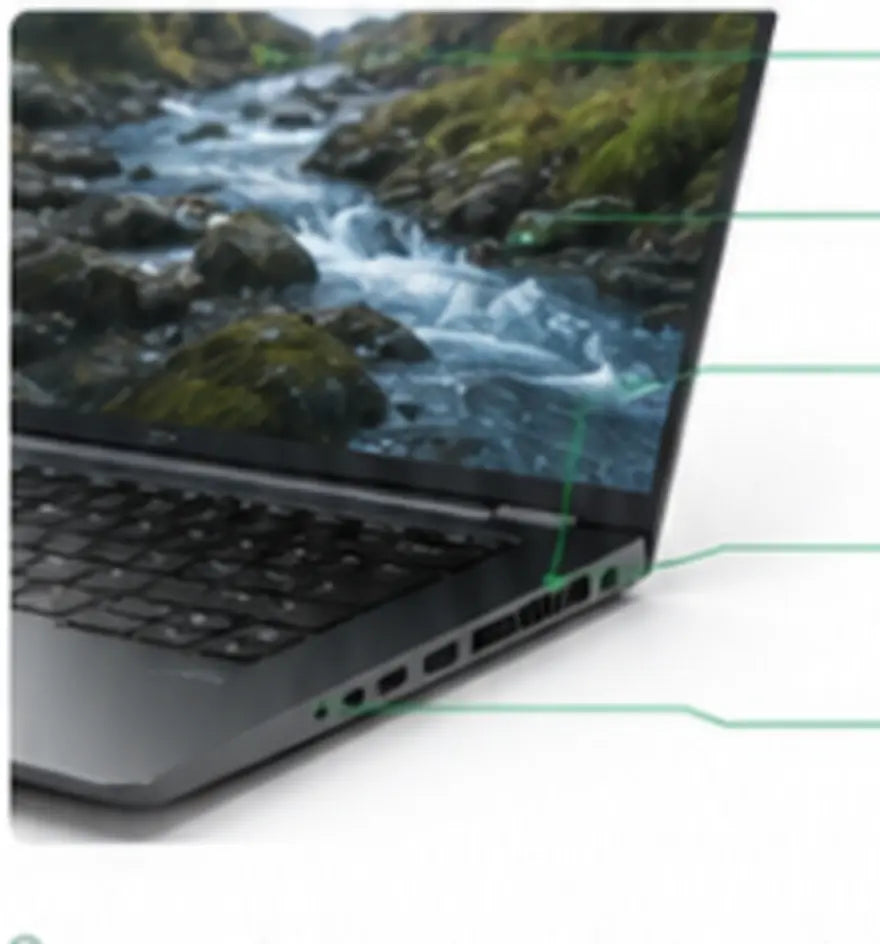
Business laptop with callouts for webcam, display, keyboard, cooling and ports
  • Webcam — clear calls and secure sign-in
  • Display — size, brightness and resolution
  • Keyboard — comfort for long working sessions
  • Cooling — sustained performance under load
  • Ports — connectivity for the complete desk
Everyday business16GB RAM · 512GB SSDHeavier multitasking16–32GB RAM · 1TB SSDTechnical & creative32GB+ RAM · 1TB+ SSD · GPU as software requires

Processor: match the applications. Choose proven performance suited to the software and tasks you run—not simply the newest generation.

Display: size, brightness and resolution together. Balance readability, workspace and comfort.

Battery: consider the real working pattern. Look beyond headline claims to how and where the laptop will be used.

Ports & docking: check the complete desk setup. Verify video outputs, USB, Ethernet and power.

These are practical starting points, not rigid minimum specifications.

Choose the size around mobility and screen space.

Compact 13-inch business laptop

13-inch

Light and highly portable.

Typical weight
Around 1.0–1.3kg
Best for
Frequent travel and a minimal bag
Balanced 14-inch business laptop

14-inch

The business sweet spot.

Typical weight
Around 1.3–1.6kg
Best for
Hybrid work and daily productivity
Large-screen 15 to 16-inch professional laptop

15–16-inch

More workspace and cooling potential.

Typical weight
Around 1.7–2.2kg
Best for
Extended projects and complex tasks

Professionally renewed business laptop

  • Business-grade construction
  • Clearly stated specification and condition
  • Professionally tested and prepared
  • One-year warranty included

New entry-level laptop

  • Current-generation platform may be available
  • May use lighter consumer construction
  • Specification varies by configuration
  • Compare the complete system—not age alone

The better buy is the laptop that delivers the right capability, build quality and support for the budget.

Common laptop-buying mistakes.

Too little memory
Buying by processor badge alone
Ignoring screen quality
Forgetting ports and docking
Assuming maximum battery claims
Choosing the wrong size

Starting points for real users.

Teacher working on a business laptop

Teacher or education professional

Reliable performance, comfortable screens and long battery life for lesson preparation and documents.

Explore laptops for education →

Creative professional working on a laptop

Creative or CAD professional

Graphics capability, colour-accurate displays and cooling for demanding applications.

Explore creative laptops →

Questions worth asking before you buy.

Is 16GB RAM enough for a business laptop?

For office work and normal multitasking, 16GB is a strong starting point. Heavier analysis, creative work, virtual machines or long useful-life expectations may justify 32GB or more.

Should I choose a 512GB or 1TB SSD?

512GB suits cloud-led office use. Choose 1TB or more for large local files, creative assets, datasets or additional headroom.

Does a newer processor always make the better laptop?

No. Judge the whole machine: sustained performance, memory, storage, display, construction, ports, condition and support all matter.

How should I assess battery life on a renewed laptop?

Ask how the battery is tested and consider your actual work pattern. Screen brightness, workload, wireless use and battery age all affect runtime.

What should I check before using a USB-C dock?

Confirm charging wattage, display support, Thunderbolt or USB-C capability, network requirements and compatibility with your chosen laptop.

Cybist technology adviser

Practical UK advice

Not sure which laptop fits?

Tell us the applications, working pattern, preferred size and budget. We’ll help narrow the choice.